
Civiq Support
Find the fix. Keep your momentum.
Straight answers for mock interviews, current civics facts, purchases, and app issues, so a technical problem never becomes a study problem.
What stopped?
Start where practice paused.
Straight answers
Fix it. Keep going.
Open the issue that matches what you are seeing.
Using Civiq
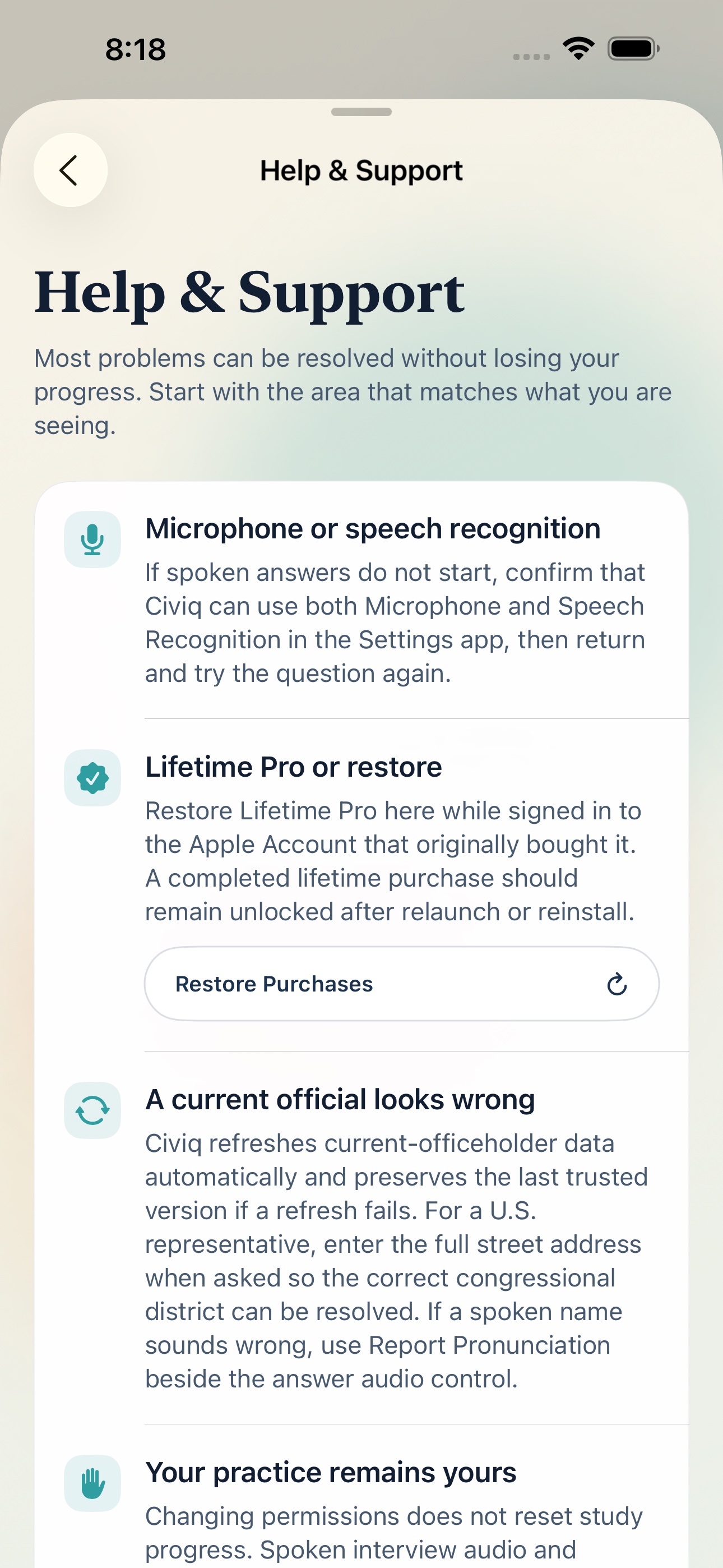
Spoken answers will not start
Open the Settings app on your iPhone, find Civiq, and confirm that both Microphone and Speech Recognition are allowed. Return to Civiq and try the mock interview question again.
Declining either permission does not erase study progress. You can continue studying without spoken mock interviews.
How does Civiq give private interview feedback?
Civiq transcribes your answer with Apple's on-device speech technology. On compatible iPhones with Apple Intelligence enabled, it uses Apple's on-device Foundation Models framework to understand what you meant, compare it with accepted civics answers, and shape focused coaching.
Your mock-interview audio and transcript are not sent to Civiq, Firebase, or a cloud AI service. When the on-device model is unavailable, Civiq uses its built-in answer matching so you can keep practicing.
Why do hard questions come back sooner?
Civiq uses spaced repetition to spend your study time where it can help most. Choose Again when the answer disappeared, Hard when recall felt shaky, Good when it came with normal effort, and Easy when it arrived quickly.
Again and Hard return sooner. Good and Easy get more space. Over time, difficult answers receive more practice while strong answers stop crowding the session.
Lifetime Pro is not unlocked
Confirm that the device is signed in to the Apple Account that originally purchased Lifetime Pro. In Civiq, open About & Support, choose Help & Support, and select Restore Purchases.
If Apple reports a completed purchase but Pro remains locked after relaunching Civiq, contact support and include the app version and build. Never email payment-card information.
A current official or civics answer looks wrong
Civiq refreshes current-officeholder data automatically and preserves the last trusted version when a refresh fails. Confirm that the device is online, fully close and reopen Civiq, then check the answer again.
For an official answer, use the in-app source link to compare it with the current government source. Send support the question and displayed answer, but do not send a street address.
Civiq cannot identify the correct U.S. representative
A ZIP code can cross congressional districts. When Civiq asks, enter the complete street address so the official U.S. Census Geocoder can resolve the district. The address is used for that lookup and is not saved by Civiq's server.
You can also verify the result with the official U.S. House representative finder linked inside Civiq.
A name or answer is pronounced incorrectly
Beside the answer audio control in Study or a revealed Mock Interview answer, choose Report Pronunciation. A suggested pronunciation and note are optional, so you can report that something sounds wrong even when you are unsure of the correction.
Every report is reviewed by a person before a recording changes.
Audio sounds compressed, stops, or uses a different voice
Confirm the device has a stable connection, then replay the answer. Civiq may use Apple system speech when a verified Nora or Theo recording is not yet available or cannot be downloaded.
For Bluetooth or AirPods issues, disconnect and reconnect the audio device, return to Civiq, and replay the question. Include the selected voice and audio route in a support message.
Civiq is unresponsive or closes unexpectedly
Fully close Civiq and reopen it. If the issue repeats, restart the iPhone and confirm that iOS and Civiq are up to date. Avoid deleting the app before contacting support because deletion removes local study history unless it is restored from an Apple device backup.
Privacy & support messages
What should I include in a support message?
Helpful details include the iPhone model, iOS version, Civiq version and build, the screen or question involved, what you expected, what happened, and whether it happens every time.
Do not send a street address, interview audio, interview transcript, Apple Account password, payment-card information, or immigration case documents.
How can I ask about or remove submitted information?
Email support with a description of the pronunciation report or support issue. Include only enough detail to locate it. Civiq may need to verify the matching question, answer, voice, and approximate submission time.
Read the Civiq Privacy Policy for complete details about on-device data, Firebase, representative lookup, and retention.
Immigration forms, eligibility, interview notices, and case decisions must come from USCIS or a qualified legal professional. Civiq support cannot provide legal advice or access an immigration case.
Open USCIS citizenship resourcesStill stuck?
A real person can help.
Include the app version and build from About & Support. Please leave out sensitive personal or immigration information.